2026-08-31
Company partnerships
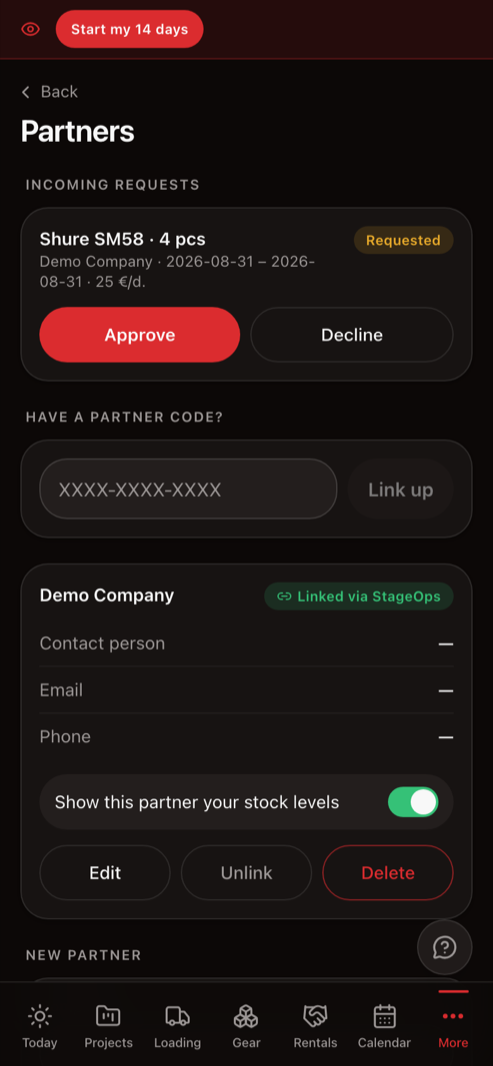
Link two companies with a code — subrental requests travel in-app, the partner approves with one tap, and you see their stock before you even ask.
For AV rental and event production companies
StageOps keeps your gear, jobs and crew in one place — so what's missing shows up in the warehouse, not at the venue.
Real gear, real jobs, real screens. No signup, no card.
Hi, Tom
Today
Summer festival
Riverside Park · 18:00
Schedule
Loading
42 / 54Most rental software charges per user, per month. A six-person shop pays six times over, so the crew never gets accounts — they get a group chat instead.
One flat price for everyone in the company: warehouse guy, freelancers, the kid who does load-ins. 14 days free, no card.
Gear leaves without a checklist
Two microphones are missing from the warehouse — and you find out on stage, an hour before doors.
Techs keep calling with questions
Where, when, who's driving, what to bring. The same answer ten times a day.
Excel can't tell you what's free
Two events in the same week — are there enough consoles? Nobody knows until someone counts by hand.
StageOps grows every week — the latest updates live here.
2026-08-31
Link two companies with a code — subrental requests travel in-app, the partner approves with one tap, and you see their stock before you even ask.
2026-08-25
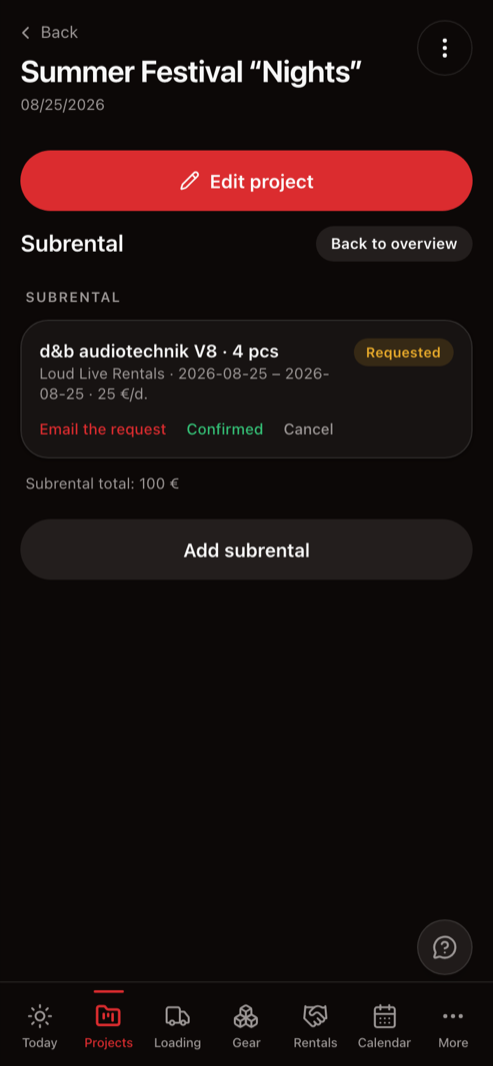
Short on gear? Pick a partner and the request goes out by email — while the project remembers who, from whom and for how much.
2026-08-25
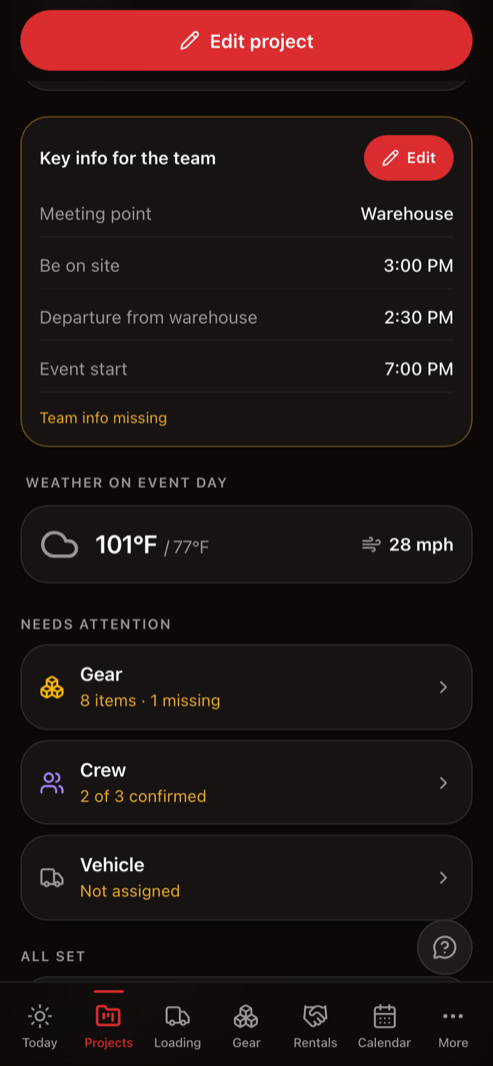
The forecast right on the project: temperature, rain and wind — with a warning when gusts threaten your rigging.
2026-08-25
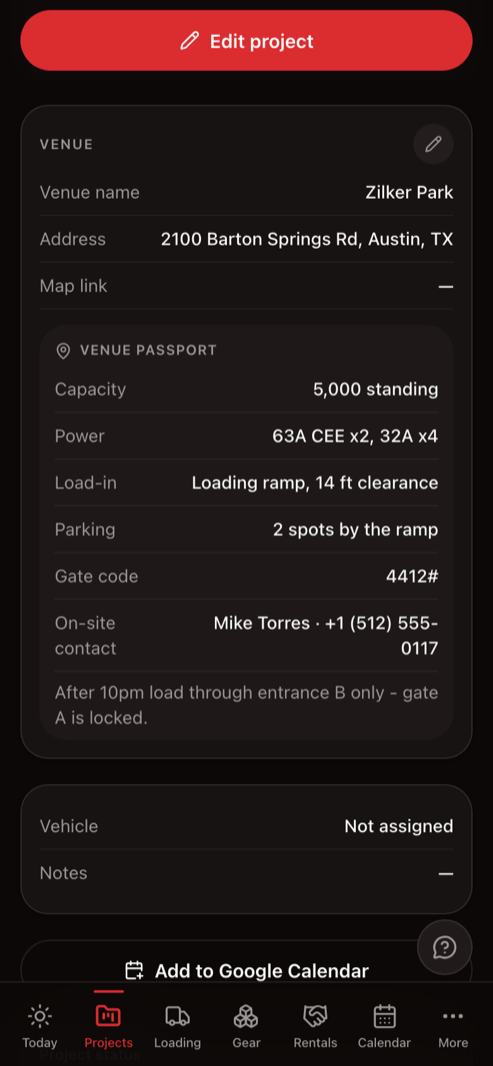
Power, ramp, gate code and the on-site contact — the company's memory of every venue, not one technician's head.
Built not for “business in general” but specifically for event equipment companies. That's why it has loading, soundcheck and a return check — not abstract “orders”.
Projects with a full schedule
Loading at the warehouse, departure, crew call, setup, soundcheck, teardown, return. All on one screen.
Warehouse and gear
Every item with a quantity and category. See what's free on any given day — and what's already out on another show.
Crew
Assign technicians and freelancers — they confirm on their phones. You instantly see who's in and who hasn't answered.
Loading and returns
The loading list lives on a phone: check off what's packed. After the show — a return check in the same order.
Sub-rentals
Gear taken from partners or rented out to them — with dates, quantities and prices.
Costs and profit
Project costs, crew rates and real profit. Reports export to Excel.
No more calling to explain where and when. Assign someone — they get a notification with all the details and confirm with one tap.
Summer festival “Nights”
Riverside Park · Sound tech
The manager sees who's confirmed — and who isn't — the same second.
Try the demo
It opens instantly, no sign-up: the full system with a sample company. Like what you see — create an account.
Load your gear
Upload your warehouse list from Excel in one step. No clean list yet? I'll help you build one.
Invite your team
Technicians join from their phones and see only their own jobs: where, when and what to haul.
No per-user fees, no choosing between “Pro” and “Premium”. The whole system — one flat fee.
StageOps for your company
$59/ mo
for the whole company, no user limit
14 days free, no card. After that it is a subscription — you are not charged until you decide. Cancel anytime.
No. The demo opens instantly — no sign-up, no card, with a fully populated sample company. Click anything you like.
Unlimited. The price is per company, not per person — technicians and freelancers join for free.
The demo is the full system with a sample company — you'll see exactly how everything works. In a real account you work with your own gear and your own projects; it unlocks once the subscription is active.
Yes. The subscription is monthly and you can cancel anytime — no contract term.
Yes. We invoice companies — write to us and we'll set it up.
Yes — it's built for the phone first. Install it to your home screen like a regular app.
Didn't find your answer?
Write to us — we'll reply by email or give you a call.
Open the demo and see what a full event day looks like in one system — no sign-up needed.
14 days free, then $59/mo. No card required.